For 20 years, the game was simple: rank higher on Google, get more clicks, get more leads. If you showed up on page one, you won.
That’s no longer true.
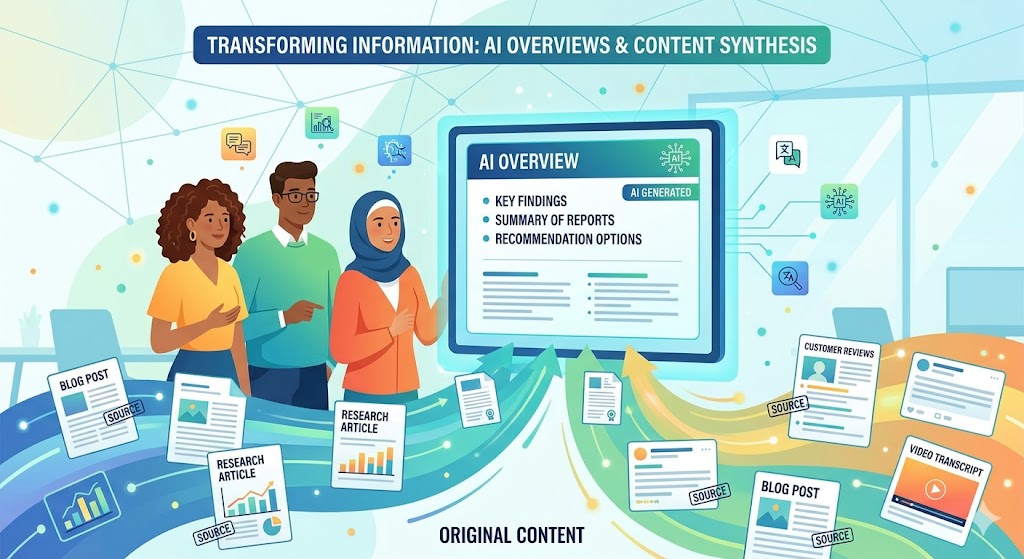
Google now puts an AI-written summary at the top of many search results. It’s called an AI Overview. Instead of clicking through to your website, people read Google’s answer and move on. Tools like ChatGPT, Gemini, and Perplexity work the same way — they pull information from websites and give users the answer directly.
Here’s the problem: these AI tools don’t just grab the highest-ranking page. They pick the page that’s easiest to read, best structured, and most clearly answers the question. And nearly half the time, the page they cite isn’t even in the top 10.
Click-through rates on informational searches fell 61% when AI Overviews appear. Only 8% of users click a traditional result when there’s an AI answer at the top.
If your website isn’t set up the right way, AI tools will skip right over you — even if you rank on page one. Here are the five most common reasons why.
01 — You’re Answering the Wrong Question
You wrote a great page about “WordPress web design.” You rank for it. But when someone asks Google “how do I get more leads from my website?” — your page doesn’t get picked.
Why? Because AI tools match the specific question the person asked, not just the topic of your page. Your content might be in the right neighborhood, but it’s not answering the exact question.
Think of it this way: if someone asks “what’s the best restaurant near me for a date night?” — a page that just lists all local restaurants won’t get chosen. The AI wants the page that specifically talks about date-night dining.
What to do: Think about the real questions your customers ask — not just the keywords you want to rank for. Write pages that answer those specific questions directly.
02 — Your Answer Is Buried
Most business websites open with a long introduction. Company history. Mission statement. Three paragraphs of context before you get to the actual point.
AI doesn’t have patience for that. When it scans your page, it’s looking for the answer near the top. If it has to scroll through five paragraphs of setup, it moves on to the next site that gets to the point faster.
“AI reads like a busy customer. It wants the answer first, the story second.”
— Maribeth Laureen
This is the opposite of how most people were taught to write. In school, you build up to your conclusion. On the web — especially now — you lead with it.
03 — Your Page Structure Is Hard to Read
AI tools don’t “see” your page like a human does. They read the code behind it. They look for headings, sections, and clear organization to understand what each part of your page is about.
If your page is one long block of text with no headings — or if the headings are vague (“Our Approach,” “What We Do”) — AI tools can’t easily pull out the information they need.
| Hard for AI to Read | Easy for AI to Read |
|---|---|
| One long page with no headings | Clear H2 headings for each topic |
| “Our Approach” | “How We Build WordPress Websites” |
| “Services” | “Web Design Packages for Small Businesses” |
| Answers spread across multiple paragraphs | Complete answer under each heading |
Quick test: Read just the headings on your page. Can you understand what the page covers without reading the body text? If not, your headings need work.
04 — Your Expertise Isn’t Visible
Google uses something called E-E-A-T — Experience, Expertise, Authoritativeness, and Trustworthiness — to decide which content to trust. AI Overviews lean on this heavily.
But here’s the catch: your credentials need to be visible on the page itself. Having a great reputation or strong backlinks isn’t enough anymore. The AI needs to read proof of your expertise right there in the content.
What counts as visible expertise:
- Author name and bio with relevant credentials
- First-person language that shows real experience (“In my work with restaurant clients…”)
- Original data, case studies, or specific results you’ve achieved
- Links to primary sources that back up your claims
- Published date and “last updated” date showing the content is current
Watch out: Generic content that could have been written by anyone gets skipped. AI Overviews favor pages where a real person with real experience is clearly behind the words.
05 — You’re Targeting the Wrong Searches
Not every Google search triggers an AI Overview. If you’ve been focusing your SEO on searches that never show AI results, no amount of optimization will get you into one.
AI Overviews mostly appear for informational questions — the “how to,” “what is,” and “why does” searches. They rarely appear for:
- Searches where someone wants to buy something right now (“buy running shoes”)
- Searches for a specific brand or website (“Nike website”)
- Highly local searches (“plumber near me”)
- Searches where someone just wants to go to a specific page (“Facebook login”)
57% of AI Overviews are triggered by informational queries. If your content only targets “buy now” keywords, AI Overviews aren’t your opportunity.
The sweet spot for small businesses: educational content that answers real questions your customers ask before they’re ready to hire. “How much does a WordPress website cost?” is the kind of search that triggers AI Overviews — and if your page answers it well, you get cited.
What to Do About It
You don’t need to overhaul your entire website. These four changes will make the biggest difference:
- Lead with the answer. Every page should answer its main question in the first paragraph. Not the second. Not after an intro. First.
- Make your headings specific. Replace vague headings like “Our Services” with descriptive ones like “Custom WordPress Design for Restaurants.” Each section should be a complete, self-contained answer.
- Show your expertise on the page. Add an author bio. Write in first person. Include specific results and real examples from your work. Don’t just claim you’re an expert — prove it in the content.
- Test your searches. Google your target keywords and see if AI Overviews show up. If they do, study the pages that get cited. Look at how they structure their answers. Then make yours better.
Bottom line: AI visibility isn’t about tricks or hacks. It’s about writing clearly, organizing your content well, and making it obvious that a real expert wrote it. The businesses that do this now will have a huge head start.
Frequently Asked Questions
What are Google AI Overviews?
AI Overviews are AI-generated summaries that appear at the top of Google search results. Instead of showing you a list of links, Google reads multiple websites and writes a short answer to your question right on the results page. They show up in about 16% of searches right now — and that number is growing.
Why doesn’t my website show up in AI search results?
The most common reasons: your content answers the wrong version of the question, the answer is buried below long introductions, your page structure makes it hard for AI to pull out answers, your expertise isn’t visible in the content itself, or you’re targeting the types of searches that don’t trigger AI Overviews in the first place.
How do I optimize my website for AI Overviews?
Start with the basics: put your answer in the first paragraph. Use clear, descriptive headings. Add author credentials and first-person experience within the content. Test your target searches to see if AI Overviews appear — and study how the cited sources structure their answers. It’s less about technical tricks and more about writing clearly for both humans and machines.